Captions and automation
These tools cover what short-form editors automate. They run on your machine, show what they propose before
changing the timeline where that makes sense, and apply as a single undo step. Each is also an
animathio-cli subcommand and an MCP tool.
Automatic subtitles
Clip, Generate subtitles transcribes the project's audio (or the selected clip, or the in and out range)
with Whisper and adds the result as caption clips on a new Subtitles track. Progress and cancel live in a
status-bar popover, like the export queue.
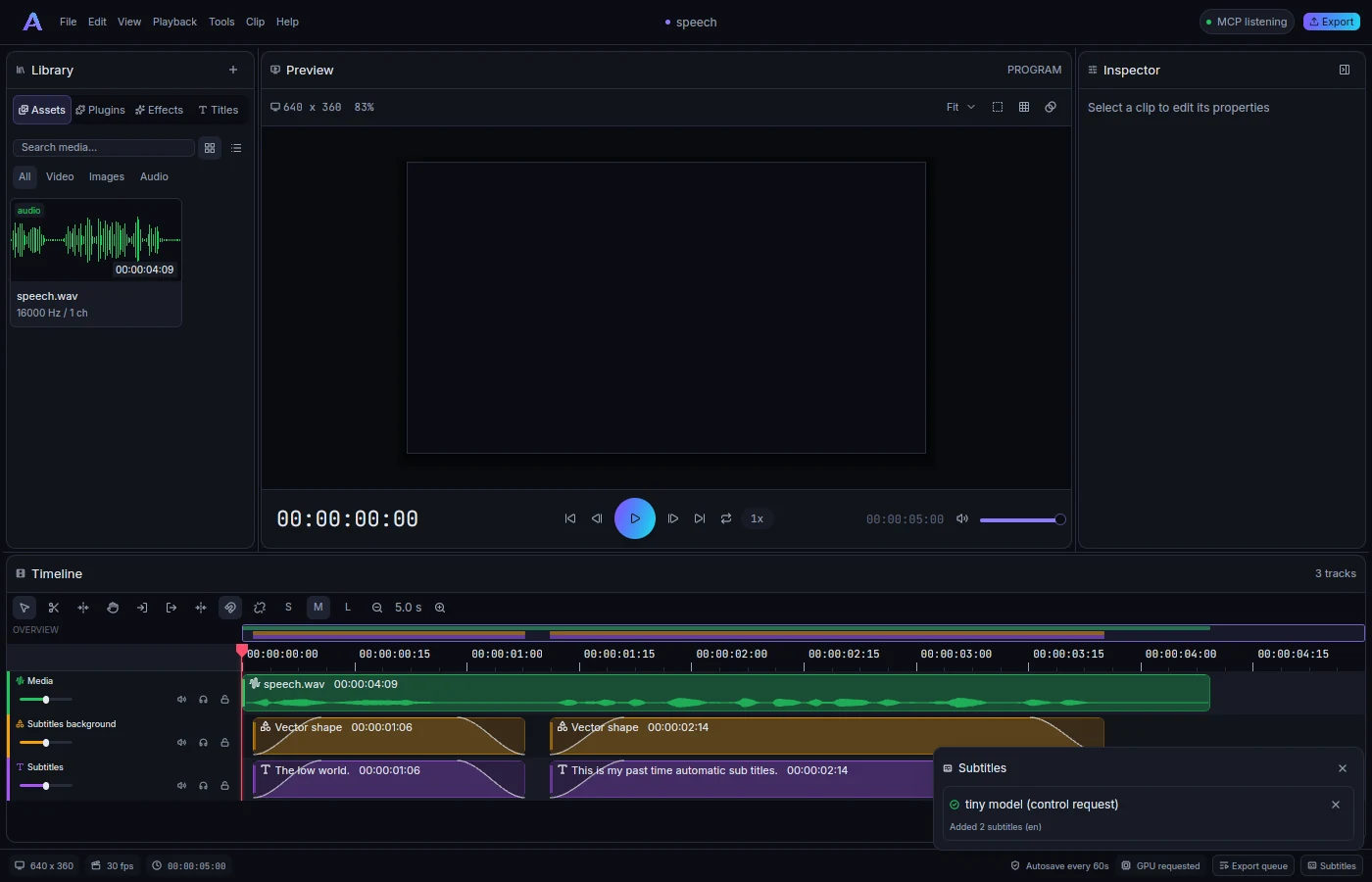
The speech engine is whisper.cpp, built into the installers. No model ships with the app: pick tiny
(78 MB), base (148 MB, default) or small (488 MB). AniMathIO downloads it once, on your confirmation,
verifies its SHA-256 and stores it in the user data directory.
Captions can be animated from Whisper's per-word timings. Styles: Classic bar, Word highlight, Karaoke fill, Pop, One word at a time and Bold outline (big type, centred for 9:16). Choose one in the Generate dialog, or select a caption in the inspector to restyle the whole track. Font size, colours, top, middle or bottom position and words per line are adjustable. Caption styles are plugin parameters, so the clips stay editable text.
SRT and WebVTT import and export are supported.
animathio-cli transcribe talk.mp4 --download --srt talk.srt --vtt talk.vtt
animathio-cli transcribe lesson.amio --style karaoke --position middle -o lesson-captions.amio
Autocut
Clip, Automatic cuts finds silences and, with a model available, filler words and repeats. The panel shades the affected ranges on the timeline and lists each cut with a toggle and a seek button, plus sliders for the silence threshold, minimum pause and speech padding and the total time saved. Apply removes the enabled ranges in one ripple edit across the selected tracks and their linked companions; Cancel discards the draft.
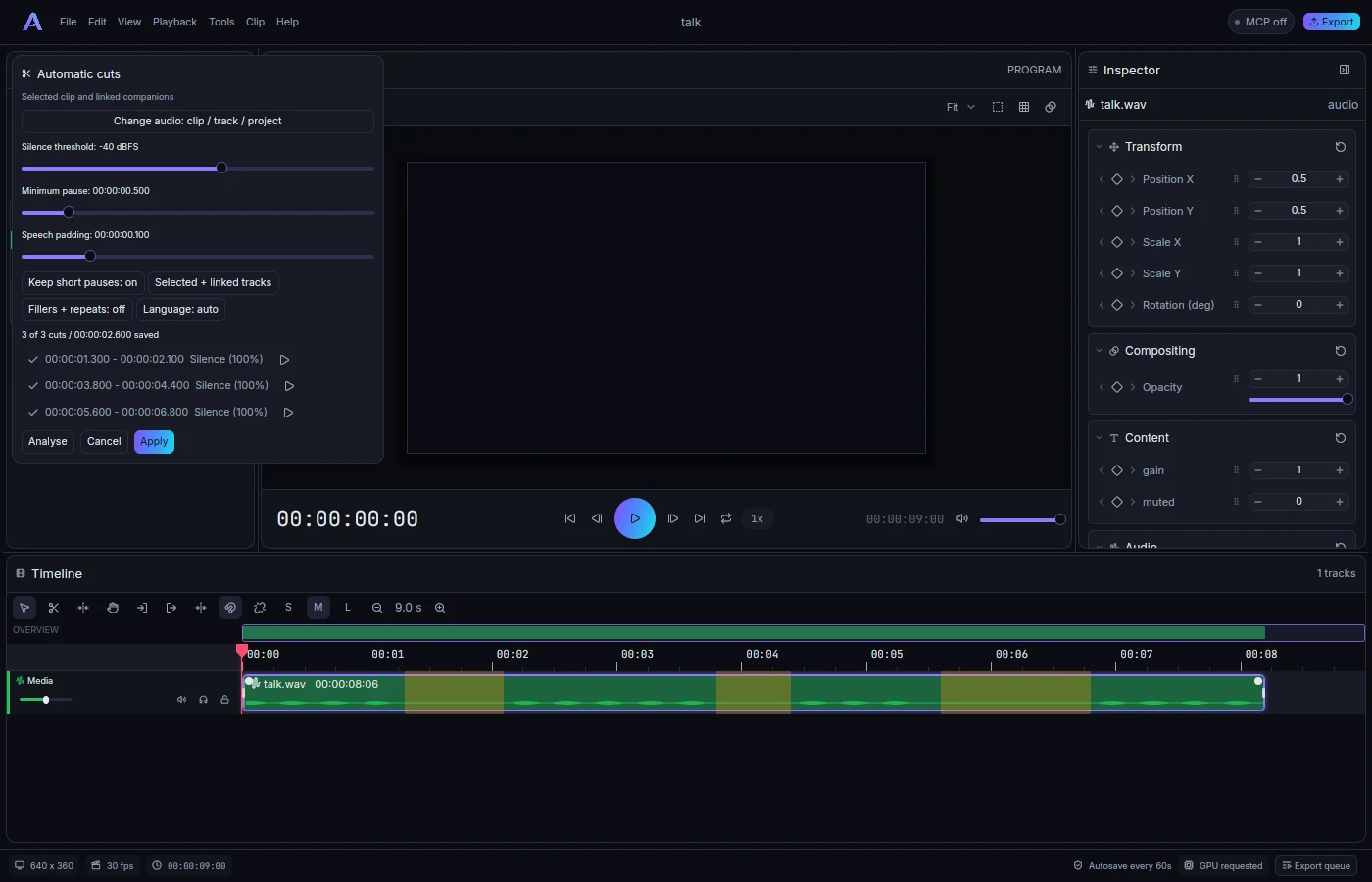
Silence detection measures RMS or peak in 10 ms windows with hysteresis. Filler detection uses Whisper word timestamps. English defaults are um, uh, erm, like, you know and Hungarian defaults are öö, ö, ő, hát, izé, szóval; other languages need an explicit list. Immediate repeats and false starts are proposed with lower confidence. The confidence scores are review hints, not calibrated probabilities.
animathio-cli autocut recording.amio --silence-db -40 --min-silence 0.5 --dry-run
animathio-cli autocut recording.amio --clip 1 --apply -o edited.amio
Scene cuts
The scene detector samples at 4 Hz and proposes cuts with thumbnails and per-cut toggles. Choose a sensitivity and a minimum shot length, then either split clips (and their linked audio) at the cuts or add markers there. Optionally drop shots shorter than a chosen length. Slow fades and gradual motion are ignored, and very short scenes can be missed.
animathio-cli scenes project.amio detect --clip 1
animathio-cli scenes project.amio split --track 1 -o split.amio
Auto reframe
Clip, Auto reframe turns landscape video into 9:16, 1:1 or 4:5. It follows motion and visual contrast, offline, with no model or download. Pick the aspect and a smoothness, then Reframe; progress and cancel run alongside the editor. The canvas changes in place and the videos' position and scale keys are replaced in one undo step.
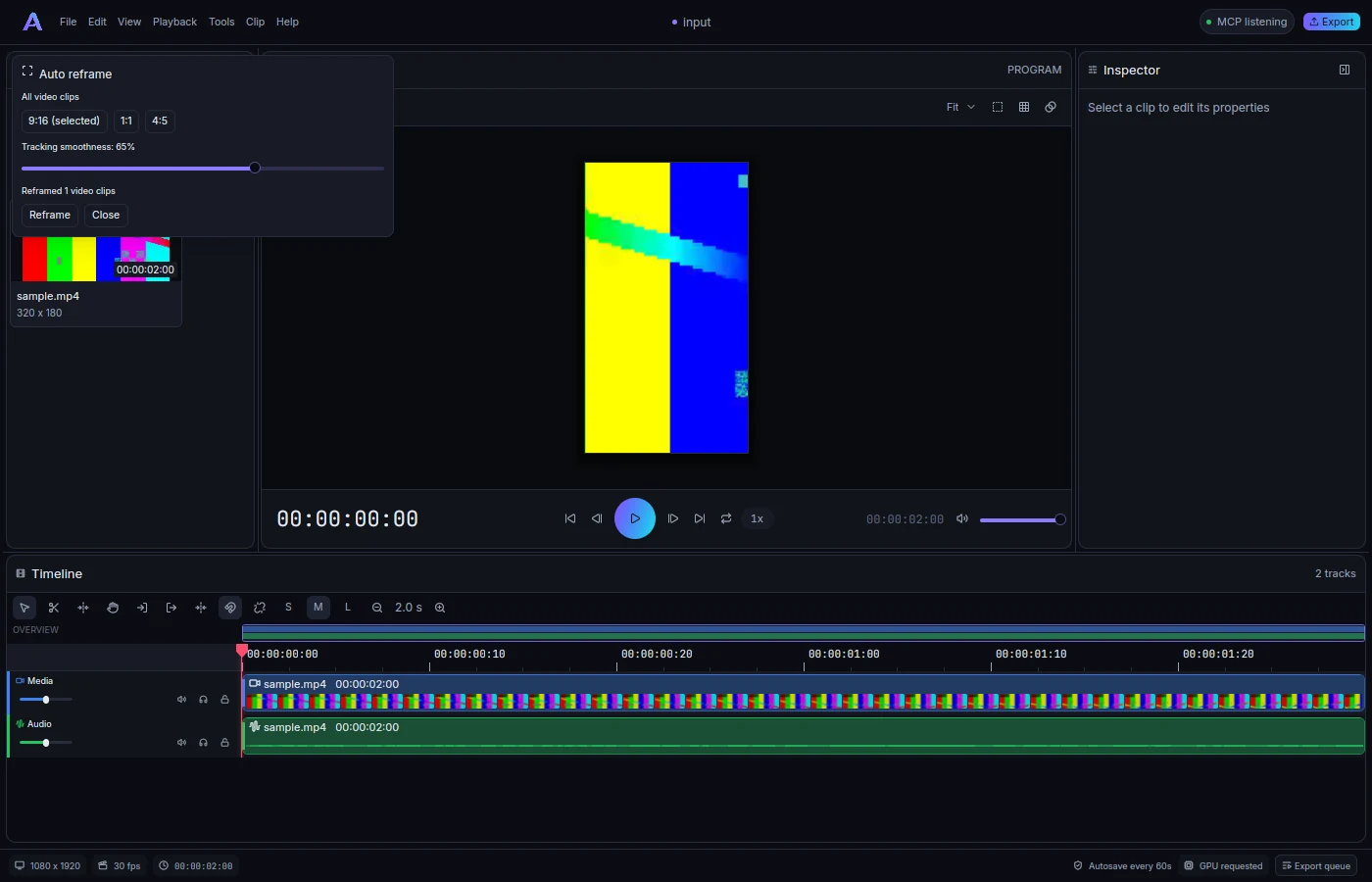
It is a visual-saliency heuristic without face recognition. Several subjects, busy backgrounds and camera motion can need manual correction afterwards.
animathio-cli reframe landscape.amio -o vertical.amio --aspect 9:16 --smoothness 0.6
Beat sync
Press M to drop markers. Clip, Markers and beat sync lists them, detects tempo and beats from the audio (deterministically, offline) and can add markers at every beat, every Nth beat or only downbeats. Sync cuts then snaps selected clips' edges to the nearest beat or marker within a limit, or splits clips there. Edits that would overlap, collapse a clip or read past the media are skipped and reported.
animathio-cli beats song.amio --add-markers --downbeats-only -o marked.amio
Markers can also be exported as chapters (a YouTube list or WebVTT).
Auto ducking
Clip, Auto duck lowers music under speech without touching the audio. Choose the voice clips or tracks and the music clips or tracks; AniMathIO detects voice activity and writes gain keyframes on the music, with adjustable depth, attack and release. The ducked spans are shaded before you apply. A music clip that already has gain keyframes is left alone unless you choose to replace them.
animathio-cli duck talk.amio --voice-track 1 --music-track 2 --dry-run
animathio-cli duck talk.amio --voice-track 1 --music-track 2 --depth-db 15 --apply -o ducked.amio
Denoise and voice cleanup
The org.animathio.audio-basic plugin offers gain and trim, a 3-band EQ, a compressor, a noise gate, a
high-pass filter, a voice-cleanup preset and denoise, a spectral gate. Denoise can learn the noise profile
from a selected range or the in and out points, which is deterministic and undoable. Chains run on clips and
tracks, in the same mixer for preview and export.
animathio-cli learn-noise input.amio --clip 2 --effect 88 --from 0 --to 0.5 -o learned.amio
Beyond the built-in steps
Everything above is composed of ordinary commands, so you can script variations. See the CLI reference for every option and Control protocol and MCP for the tool surface.